|
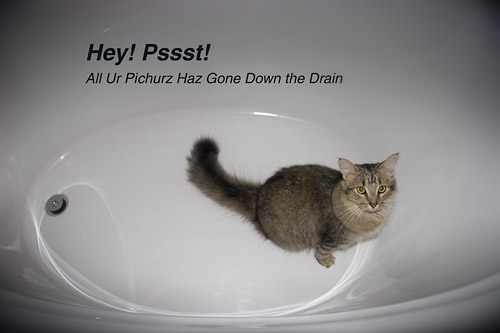
When Good Drives Go Bad (9/9/08) There was this sharp "tink!" and my G: drive disappeared. Of course I knew better than to try to restart it, but I did anyway, and all I got was the soft periodic click of death as the heads tried to get oriented. It was an external 250GB (never mind the brand, I don't think there was anything special about that). I put it in another housing, hoping it might be the controller. After a repeat of the click of death, nothing. I've set it aside for the moment. First, I'll spend some time putting my active directories back together from backups; then I'll recreate my less active ones. And when I know what can and can't be gathered up that way, maybe I'll spend money (or a lot more time) to get the stuff trapped in the carcass of the old G: drive back, too. For a couple of long days, I've been about the sorry business of reassembling directories from my backups, which were a) a lot better than they might have been but b) not nearly as good as they should have been. I'm out a lot of photos and some simple programming. By pure dumb luck, the drive failed after I'd delivered a handful of projects and before I got myself psyched up to get deeply involved on others. Lucky timing shouldn't have mattered; my backups should have made that immaterial. So I want to look at what I did wrong and what I'm doing differently now. I've been paranoid for years about my C: drive. All that code! All those programs to reinstall and reconfigure! So I've dutifully made images of the C: drive after every significant s/w update or installation using Acronis True Image. That saved my sanity a couple of times. Once, after a bad malware attack wasn't cured by simply rolling back to a restore point, recreating the drive from my backup took only a few minutes and worked like a charm. I digress, because I'd rather talk about success instead of this mess. I keep almost all my data -- words, pictures, source code, html -- on external drives and reserve C: for system files and executables. Current work is on an external drive; finished work lives on that drive and on others. See the vulnerability? How exactly do you define "current work" and when do you move it onto mirrored archive discs? In the beginning, when I began to isolate system and executables from data, I bought an external drive for the latter. And realizing that I shouldn't trust all my work to a device sold for a few hundred bucks, I bought a second one. The idea was that I'd just keep two copies of everything. One drive might fail, but not two, simultaneouly, no matter how ill-advised it might seem to bet the farm on cheap mass storage. (Assume a hard drive's reliable life is three years. The likelihood that drive will fail on any particular day is 0.001; the likelihood that two will fail on the same day is 0.001 x 0.001 = 0.00001 -- that's once every three years compared to once every 900 years.) Well, storage needs change. I ran out of room bought new drives one at a time. Not two. Eventually, I ended up with websites backed up on one drive; old photos on another; new photos on one drive; working copies of photos on another. Etc. As I added drives, backups became complicated and cumbersome. And therefore rare. I could no longer just copy everything from one drive to another and call it safe. This ad hoc mess turned original statistical rationale upside down: you buy a cheap drive knowing it might fail, so you buy another knowing that the likelihood of both failing simultaneously is miniscule. But when you plug in five or six cheap drives and spread data all over them, the likelihood that one of them will fail --with unpredictably bad results-- rises toward a certainty. You're no longer making catastrophic failure less likely (0.001 x 0.001...). Adding drives like this actually makes a drive failure more likely (0.001 + 0.001 +0.001 + 0.001...). I had five 250GB drives spinning. If any particular drive can be expected to fail in 3 years, then one of five identical drives can be expected to fail every 8 months. Bet on it: eventually a drive will fail. "Eventually" was 10:30 PM on September 8, 2008. "Tink!" said my G: drive. Back to basics then: OS and program files go on C:, data goes on G:. C: image files get periodically written to G:, and everything on G: gets regularly copied to H:. Newegg and UPS Next Day service got a Seagate 1TB external to me in 24 hours. I ordered a second one from an even deeper discounter without the urgent delivery option. By the time I get the first one reasonably well populated, I'll have a second drive to mirror it. When you need more space, buy twice as much as you need for the work at hand: buy enough to hold the new projects and buy enough to back them up, too. That's just the cost of doing business. And you know that DVD writer sitting there on the desk? Would you use it more often to make some backups of specific projects? The ones I made a couple of weeks ago now feel like gifts from the gods. That's the easy and expected lesson. Here's the tougher question: how many pictures should I keep? This wouldn't be an issue at all if I didn't keep just about everything that comes out of the camera, even when I only work with a few percent of them, even when I know that some are just garbage. I'm having to put some project directories back together from CD's and DVD's I've delivered to clients (yes, it's embarassing; I don't ask just any of them) so I have only the finished images from those projects. And you know what? I don't know that I'm going to miss having the rejects and all the raw materials lying around. That's the unexpected revelation of this experience. Now I've got to rethink what makes a picture bad enough to just go ahead and flush it and save myself the trouble of saving it (let alone backing it up and restoring it).
and good riddance, too?
:: back to the slow blog ::
|
© 2010, David Cortner