So Much Confusion...
2026/02/17. I am slightly boggled with the thought of using a Mele mini PC (in particular a Mele Quieter 4C) to control the Wave, guider, camera, etc etc. All of it. I would very much like not having to set up the Toughbook and its cable(s). It would be great if the computer could ride along with the OTA and minimize concern for cable snags during slews and flips, while also saving me the need for the notebook and its stand in the wild. And I would very much like to be able to control the kit while sitting in the warmth nearby.
Tonight, I discovered that I cannot run the remote desktop app ("Windows" confusingly enough) on my iPad Mini 4 which will not run the OS required. That means that to add a Mele to the existing kit, my tablet needs upgrading, first. Unless there is a compelling reason to abandon the Panasonic Toughbook in favor of a Mele/tablet combination, I can stop tormenting myself with the possibility and enjoy the Toughbook's solid performance. Of course, if a steal on the right Mele 4C turns up at the same time as a bargain ios17-capable iPad, all bets are off.
All bets are off.
2/19: bluff called on the iPad. I found good deals on Gen 7 and Gen 8 iPads and went with a Gen 7 because it had 128GB rather than 32GB of RAM (it was also cheaper). The key is that it can run ios17 et seq which is needed for Remote Desktop for Windows. When it arrived, I upgraded its IOS to 18.something. Now for the Mele.
The idea of using a miniPC to control the rig is driving me a little nuts anticipating both software and mechanical issues -- just stop anticipating every possibility; buy one, and solve only the actual problems. Pick up cables, bracketry, etc as needed. In the meantime, get the iPad's remote desktop app working on a handy Win11Pro notebook for practice and experience.
2/25 Rats! Could not get Remote Desktop on the iPad to connect to any Win10 Pro or Win11 Pro machines so I cancelled a snipe on a nice enough Mele. Work out the connection issues, then shop one up. Later that same day, I re-entered a slightly lower bid because it all works reasonably well using Chrome Remote Desktop. That's worthwhile though not optimal since Chrome's answer to RDP requires internet access. A better solution will come along sooner or later. On the upside, Chrome's RDP works across the net so it would, if needed, allow me to control the kit from anywhere with network connections, including my phone, and not just within wifi range. Chrome's solution will probably be worth installing by and by, but it is not my first choice for most anticipated uses.
Still later that same day, I won the eBay auction for an 8GB / 128 eMMC Quieter 4C with N100 processor and an extra 512GB NVMe for $165 (current price new is $280-320 plus $85-$200 depending on the NVMe). I have USB-C power cables on the way. I'll borrow the HDMI cable and second monitor from my desktop for set-up. An older USB keyboard and a wired mouse will help get it squared away. The auction win and success (finally!) in connecting the new iPad to a Win11 Pro computer via RDP took place within minutes (perhaps seconds) of each other. (Whew.) The hardly-ever-unmentioned key to RDP access seems to be the existence of a local account on the Windows machine in addition to the default account. Connect via the new account. (But keep experimenting.) Credentials are simply the account name and assigned password. When this goes into "production" make the IP address of the Windows machine static. And to be really sure it's ready for the dark wilds, try it with the router off (be prepared to add a tiny router to the kit, or work through the steps in a link from Cuiv "the lazy geek" provided down below.
3/3/2026. The Mele is here and it is a delight. Like new and better than described -- it's an N150 rather than the promised N100. Good deal. I stole the 2nd monitor from my desktop, its HDMI cable, and my mouse to ty it out. Perfect! There are some details to nail down. I have the iPad talking to it through a local account but it needs either a useful machine name or a static IP and a hot spot on startup so that it's fully useful in the wild. The hotspot key is presumably here:
https://www.youtube.com/watch?v=pL-Fih-J9o4
It's also possible that the Wave 100i provides the hotspot needed. If I login to the mount with the Mele and the iPad, is that all it takes? A better alternative? A travel router should make everything simple(ish). Told you it was confusing (or, rather, that I am confused). Film when I feel like tackling it all, and a party when it works.
It's all promising enough that I've ordered a field case / keyboard / touchpad for the iPad and some spare 12vdc-to-USB-C power connectors for the Mele. If all this works, it's going to really feel like living in the future.
3/07. The 56th anniversary of my first total solar eclipse. The case, pencil, and keyboard seem like a hit. In for a penny, in for... more. I ordered a matte screen protector for the iPad and the low-tech version of the Svbony SV241 power and USB distribution hub on the theory that there's little point om having the computer ride along with the OTA if power cords are going to be trailing, tangling, and snagging all over the place. Be prepared to order some cables after we see how it fits together.
3/09. I can't seem to collect all the right cables! The two USB-C power cables I bought are said to be 5v. As are the four spares. (They may yet work.) A 12v to USB-C power cable is on the way. Really. Get the simplest unguided DSLR/iPad combo working first on the Wave, then go nuts setting it up to carry anything anywhere.
3/10. The USB-C power cable is here and works, but it is very long compared to what is actually needed. Fine. The Svbony 241 is nice and solid, also tiny. Works fine. Get it all working, then refine. I installed a matte cover on the iPad and almost got it right. Enough bubbles remained, owing mostly to sloppy cleaning on my part, that l shopped up another antiglare cover, a 2-fer, at half the price. Let's try again. Success, thy name is "obsessive" (cleaning). Also a lighter folding case, also at a fraction of the first, heavier "folio"-styled case. Second chances should always be this cheap. The pencil is generally great on the iPad, a little unpredictable when used with the remote desktop. But the RDP does work, so there's that. I renamed the Mele ("dcmele4c") in anticipation of eventually getting it hooked up without a static IP (it's another option; I usually like options; I also like simple, clear paths...). Stay tuned. For configuring the Mele: a leftover HP USB keyboard, a second (third?) mouse, and a shorter HDMI cable (that will also improve the desktop).
3/14. I reinsatalled Win11 Pro on the tiny Mele, the better to put the OS and most programs on its 128GB eMMC drive and keep the larger, much faster, and now completely empty NVMe drive for data. This will also make it easier to replace the fast but not-as-fast-as-it-could-be 512GB NVMe drive with something substantially larger and faster when such things become substantially cheaper. It does boot more slowly, now but the difference is a few seconds -- not enough to matter. In an act of cowardice, I ordered a travel router to handle imaging in the wild. This is the tried and true way to get a robust hotspot for the computer, the mount, and a tablet. It is possible to configure the Mele to provide its own, but that solution is tricky, nit-picky, and generally involved. Range is said to be a potential issue, too. I am not sure that the WiFi on the Wave 100i would suffice by itself. For the price of a small router ($30), I am reluctant to engage in either unneeded complexity or pioneering. Also, if a router provides an easier setup, let's start there. (I occasionally look at turn-key wifi bridge hardware to allow imaging in the community lot while driving the show from home. All in good time.)
3/17. A tiny router (a Opal GL-SFT1200, 5v ~500ma) seems to work just fine to connect the iPad to the Mele. I need to rename the network and set up decent security, but it works. If the Wave 100i will likewise connect through the router painlessly, then we're in business. At worst, it will connect to the Mele via USB (which is how the guide camera does and will connect, and how the iPolar alignment tool does, too; still, the fewer wires the better). There are still such things as "station mode" to understand and set, but the bits do flow. The Mele hangs on boot from time to time. I see error messages only because I have a monitor connected by HDMI while figuring all this out. The error code suggests that some drivers may need tweaking. At the moment, I resolve them by restarting the Mele. See below, 3/19.)
3/18. Named both new networks the tiny router provides, changed the password on the router's admin account, and set secure login passwords on both networks. I verified that the iPad can connect by name to the Mele through both the 5 and 2.4GHz networks then set the slower connection as default in deference to the Wave 100i's WiFi abilities. I'll set the mount to station mode and introduce it to its new network right soon. A few other bits of prep are needed first. If all proceeds apace, it will be time to start loading software on the Mele and to try out all the camera connections. (Question of the day: How easy or complex will it be to configure all this and still be able to run the 100i directly from the iPad, without bothering with the Mele or the router? Will know more soon.)
3/19. The Mele fails to boot 20-40% of the time. With a monitor connected, the issues is "DRIVER_POWER_STATE_FAILURE 09xF". Pulling and restoring power almost always works, but that seems inelegant and potentially harmful. Here's an article from MSFT which provides several possible fixes. Drivers are current. Devices plugged in or not seem unimportant. So the "fastboot" option seems a likely culprit: startup is fumbling the boot sequence, attempting some steps before prerequisites are ready. The article explains where to find and disable "fastboot." Done. And so far, so good. From power on to ready to connect via RDP takes 30-40 seconds which is slower with the eMMC I am using now than it was when booting from the after-market Samsung SSD (a "MZVL4512HBLU-008 512GB M.2 2280 NVMe PCIe 4.0" should you ever need to know) but that seems a small price for uncommitted, easily upgraded storage. With fastboot disabled, the machine has booted properly three five times in a row. That's not enough to be confident that this issue is nailed down, but it is encouragng. I am sleep-deprived after a SpaceX misadventure this morning: SpaceX and other sources insisted a 6:35AM launch was imminent while only SpaceX's video broadcast time hinted that the launch was delayed which turned out to be the case; the Florida Today newspaper confirmed the delay minutes before the scheduled launch. More trouble-shooting and messing about with the Mele/Opal/iPad is sure to follow when I regain a semblance of competence.
3/20. Still more cables are on the way. I know, who would believe such a thing? A very short USB-A to C cable for power to the router and a longish USB-A to Lightning cable for the inevitable moment the iPad runs low on power in the field join the team tomorrow. Software and mechanical things will be happening right soon now.
3/21. A Vixen-bar spar comes together to hold the Mele and hub on a short Arca quick-release clamp below the imaging camera and lens. A long, adjustable Arca clamp is provided for the imaging payload. This entire rig is all about convenience and portability, so let's not scrimp by relying on too many ad hoc jerry-rigged connections and fittings. Now that the spar is no longer entirely imaginary, it's obvious that two-foot power cables from the hub to the CCD are too short for the 400mm Nikkor (they'd be fine for the 105mm Sigma). Longer ones are on the way. For test-fitting, everything is kludged together with assorted bolts and washers and spacers of various kinds; a sampler of standardized bolts is on the way. It might be possible to mount the electronics on top of the spar which would solve collision concerns between the electronics and the Wave 100i body. It would also be more compact for some packages but I think impractical for the 400mm which is the primary use-case. I'll wait for daylight if not for more wires and bolts to experiment with that. At best, I might be able to switch the electronics from the top to the bottom of the spar with relative ease to suit the imaging kit in use. For now, I'm setting things up for the Mele and hub riding below the Vixen bar on the main imaging saddle. That should keep weight mounted low and allow shorter cables to the secondary saddle.
3/22. Guess what? I ordered more cables: short USB Mini-B cords will connect the iPolar to either the hub or the Mele and short right angle USB-C will link the ASI120Mini guide camera to the hub. I was horrified by the tangle the longer cables made and could not quite imagine a way to tame them. Left alone, tangling and catching on just about anything (including nearby trees) seemed inevitable. In my head, the shorter ones look completely safe -- film at 11. Alternate short-ish cables are in place or ready to swap. Here's a thought: you've got spares for almost everything in this power web. But do you have a spare (or spares) for the 12v "cigarette" cords? If one 12v cord fails, use the other to power the SV241 and then run 12v to the mount via one of the spare 2.1mm to 2.1mm cords intended to power the cooled camera. That might even be the preferred method -- check it out.
BTW: is plate solving available in the version of SynScan Pro I have on the Toughbook and propose loading on the Mele? It is available in NINA which I have got to adopt right soon, but if it's available in SSPro, better.
3/24. I did not order cables today. I did order a neoprene lens cap for the guide 'scope so I won't need to take the guiding spar apart or rely on some make-do cover when pointing at the Sun. Wires are swapped and connections seem neat and clean. Next: load and configure s/w, then set it out under the stars and get it going. I can tweak and adjust approximately forever, but please no. I really want two reliable deep-sky configurations (one guided, one casual) and one reliable Sun configuration. My mind is going to have to be right before proceeding; my current tolerance for frustration is really, really low (which is not a good state of mind for this sport).
Back to our regularly scheduled programming...
The most disruptive ice storm in my experience --we could not leave the porch from Jan 24 until Feb 13-- preempted stargazing and focused my efforts on the on-again off-again miniPC project.
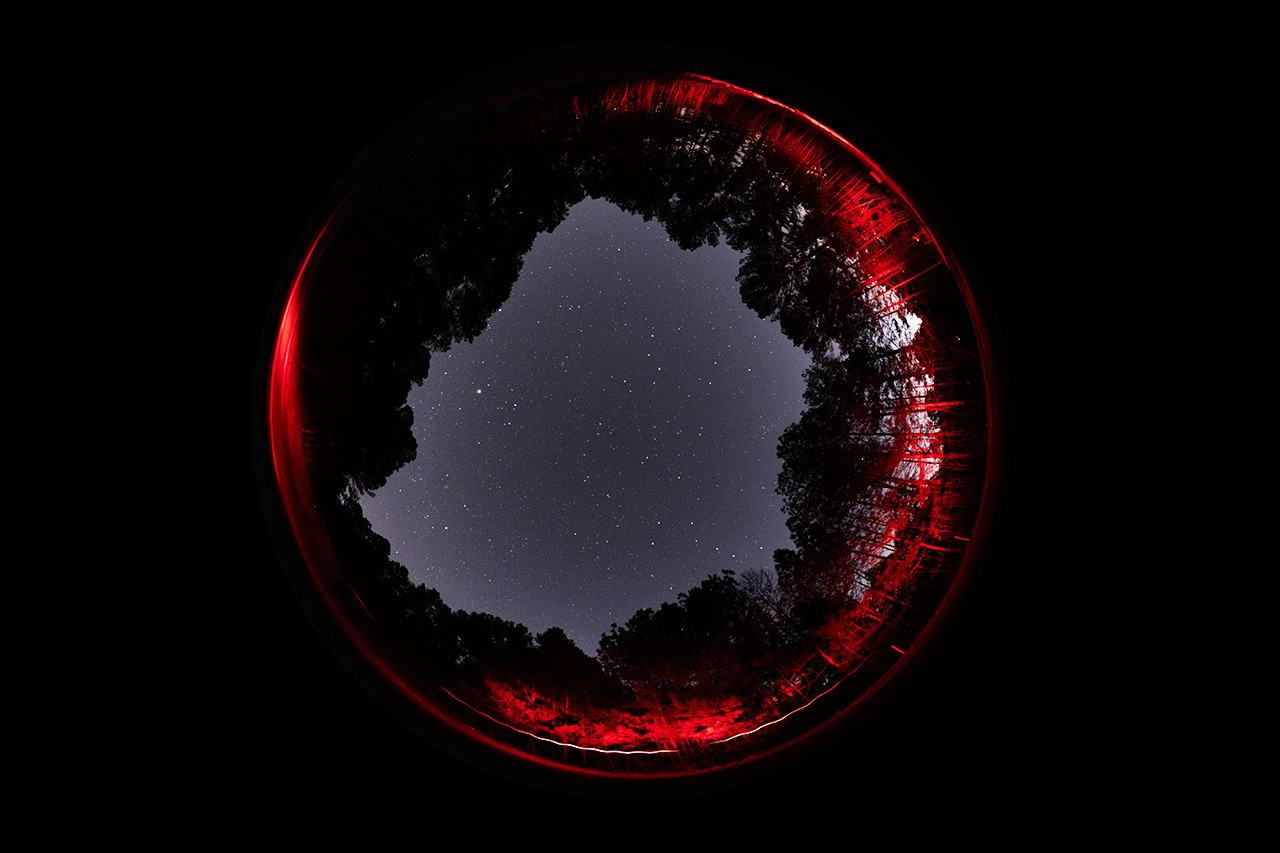
When the ice went out just a bit, I got the 6mm fisheye under the stars long enough to see that it has real potential. Pixel-peeping will be in order to make the most of it, but it's pretty damned nice as is.
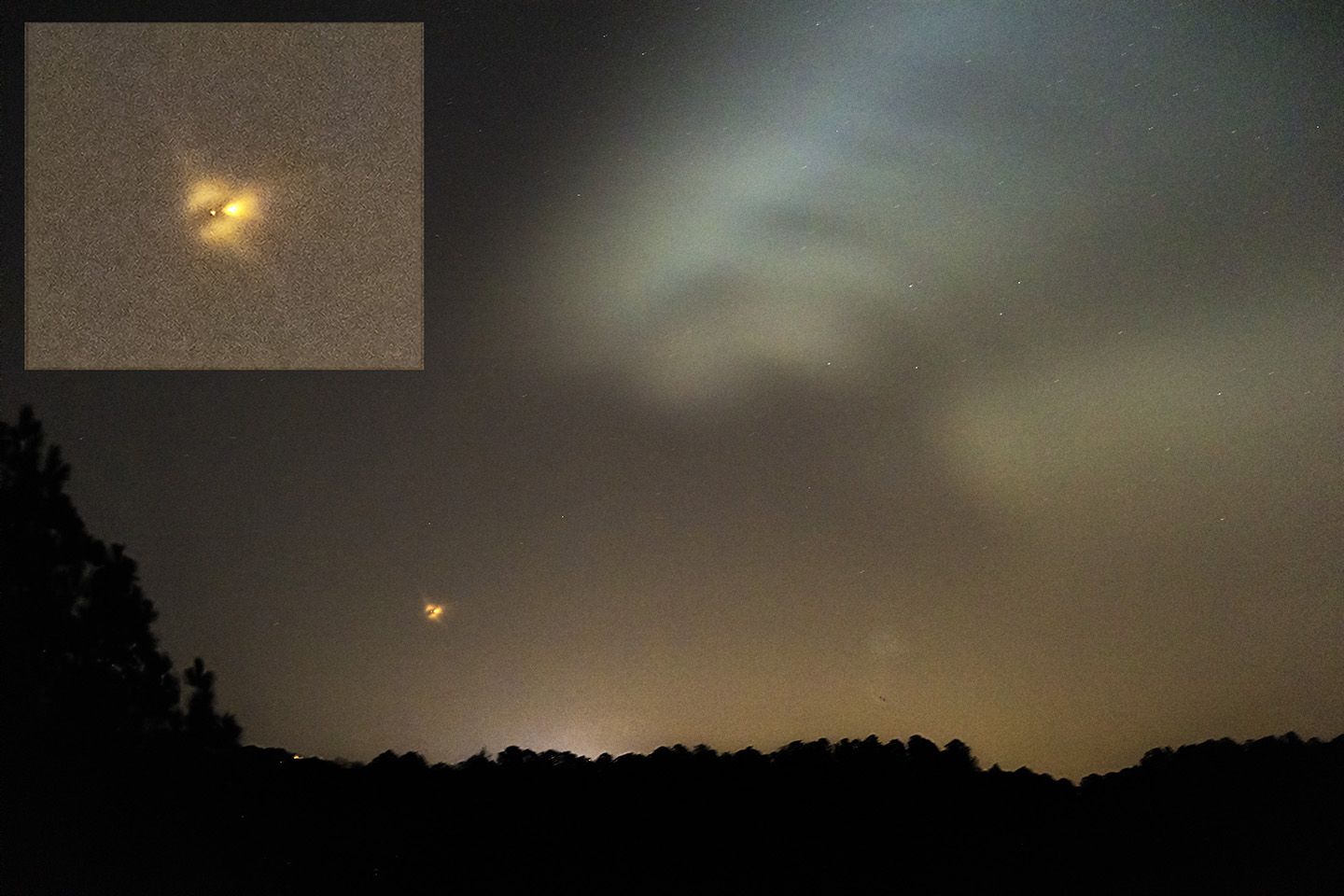
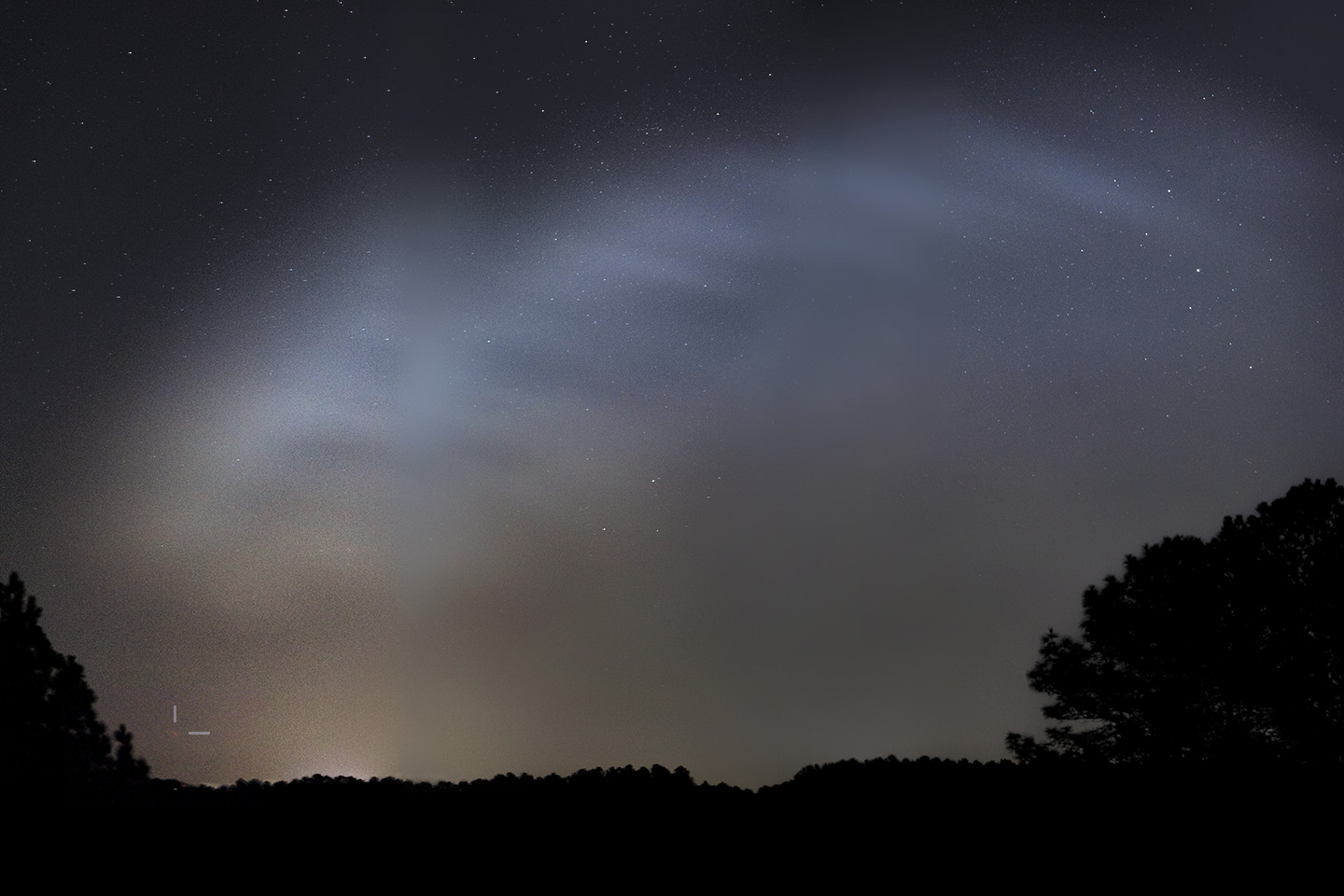
2/14/2026. I got up early to see a SpaceX flight carrying four new crew to the ISS. The 5:15 launch was two hours before sunrise in Lernoir, about half an hour too early to produce a full-blown space jellyfish, but part of the plume expanded into sunlight out over the Atlantic. It wasn't much to see, but the R6/105mm performed beautifully. The early photos are "just" the usual Federation-emblem-shaped shock of the exhaust in the upper air. The plume was the thing:
Another launch a couple of weeks later was nearly ideal for jellyfishing. See next Slowblog page.
The ice kept me from watching the most active sunspot group of the current cycle.
Changes are afoot at Rusty's, and I am trying out plans to cope. It's another thing we'll see about soon enough.
There's a lunar eclipse coming up in a couple of weeks (cloudy, rainy, didn't even think about getting up for it) and a Kreutz sungrazer due to enter the evening sky one month after that. I'm thinking I may try the Wave 100i sans guiding for both which would allow me to drive it from an iPad without computer assistance. Short exposures at 400mm should be fine --how short is to be determined-- and I'm guessing that the 105mm will work nicely. Compare to the ongoing quest for perfection detailed above!
:: top :: |